

Event Stream (event.stream)
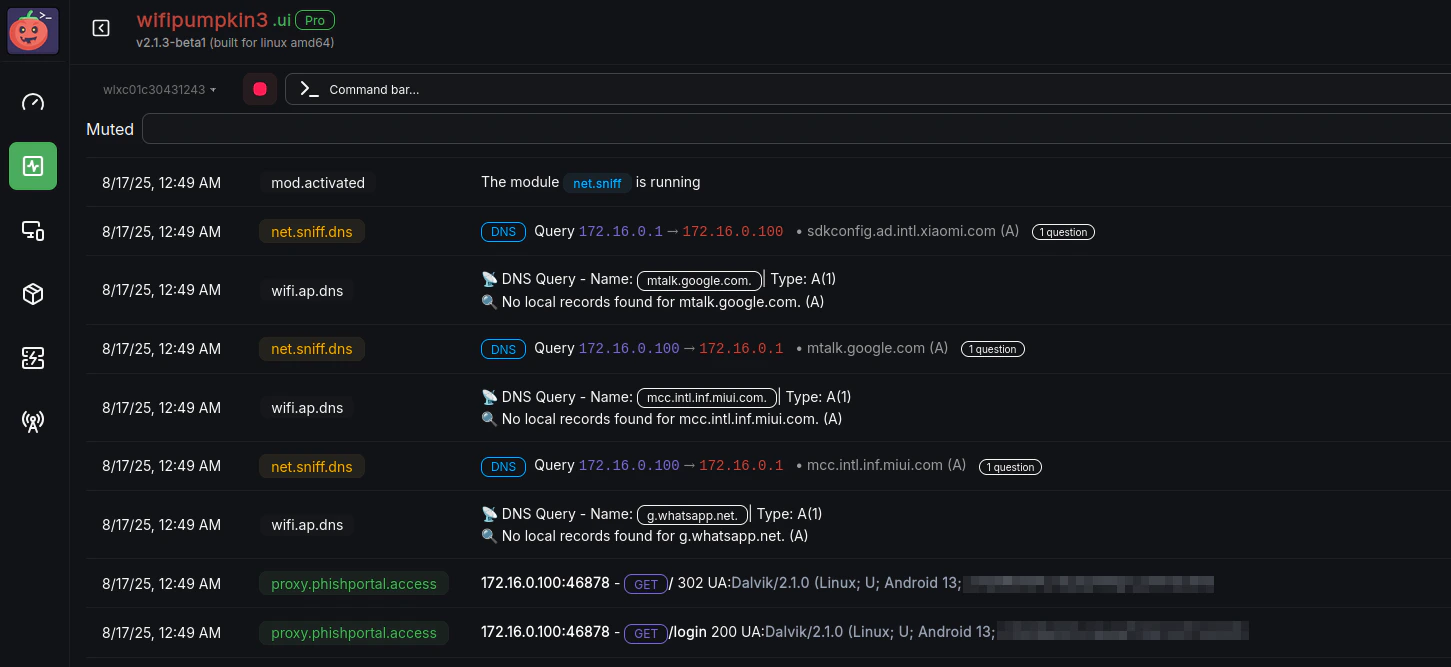
event.stream
event.stream Web UI Interface
It allows you to start or stop the event stream, display logs, and filter the events being captured.
This is especially useful during pentesting sessions where tracking live activity is critical.
Available Commands
event.stream
- Description: Start or stop the live event stream.
event.stream.log
- Description: Enable or disable logging of event streams.
event.stream.show
- Description: Display the last NUMBER of events in the stream.
event.stream.include
- Description: Include only specific events in the output based on a filter.
event.stream.ignore
- Description: Exclude specific events from the output based on a filter.
Parameters
event.stream.logfile
- Description:Define the file where streamed events will be written. Default: (empty)
event.timestamps
- Description: Enable or disable timestamps for each event in the stream. Default: true
The
event.stream module is running by default to provide live monitoring.
Filters allow you to fine-tune what events you see or log, avoiding unnecessary noise.
Logs can be redirected to external files for further analysis or archival.