

Web Remote (web.remote)
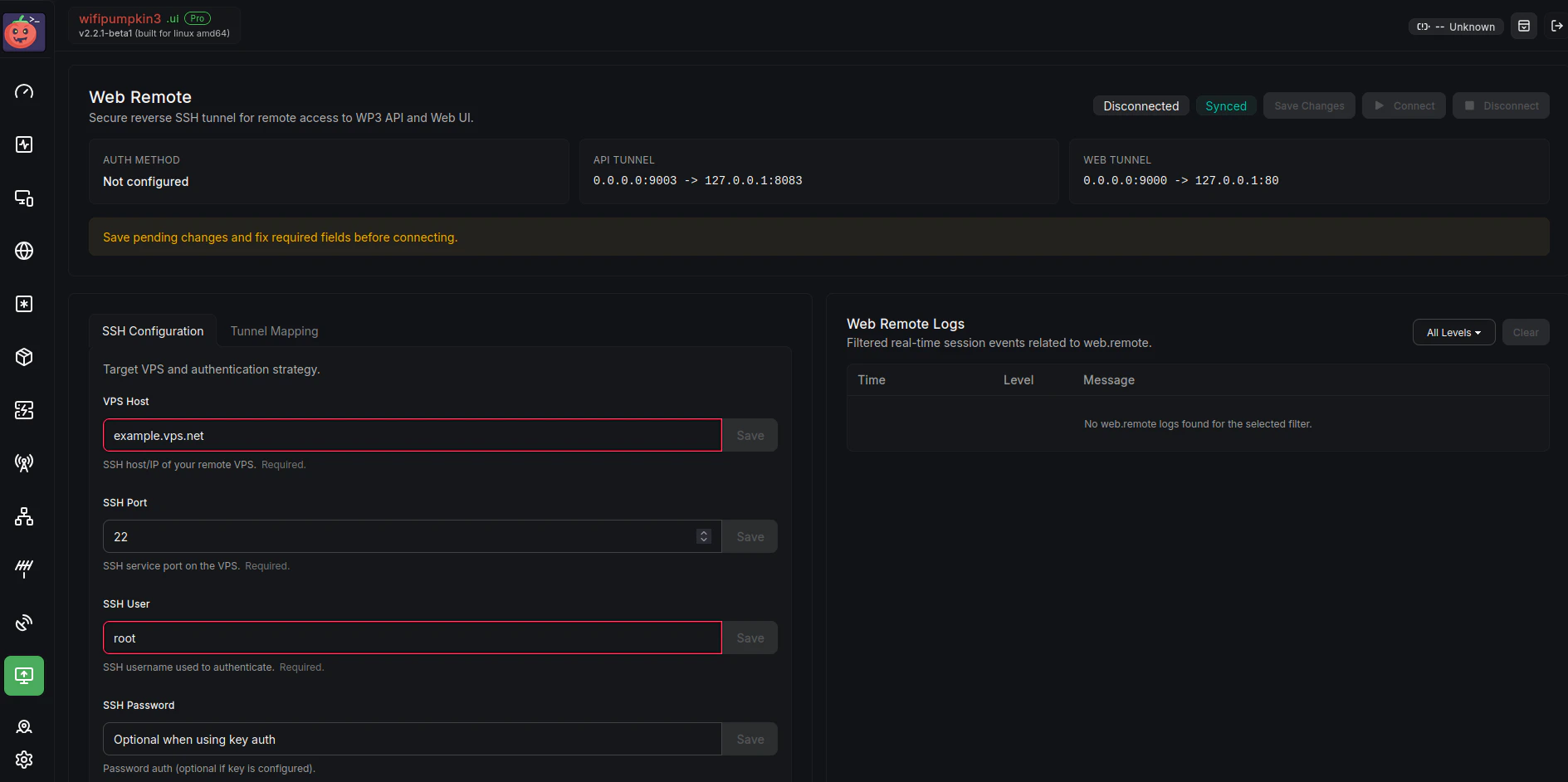
web.remote
Reverse SSH tunnel to expose local Web UI and API through a VPS.
web.remote module creates a reverse SSH tunnel from your WP3 Pro instance to a VPS.This allows you to securely expose the local Web UI and REST API through remote ports.
Available Commands
web.remote
- Description: Start or stop remote web tunnel.
- Usage:
web.remote on|off
Parameters
| Parameter | Description | Default |
|---|---|---|
web.remote.api_local | Local API address. | 127.0.0.1:8083 |
web.remote.api_remote | Remote API bind address on VPS. | 0.0.0.0:9003 |
web.remote.host | VPS SSH host. | (empty) |
web.remote.key | Path to private key (optional). | (empty) |
web.remote.password | SSH password (optional if key is used). | (empty) |
web.remote.port | VPS SSH port. | 22 |
web.remote.user | SSH username. | (empty) |
web.remote.web_local | Local Web UI address. | 127.0.0.1:80 |
web.remote.web_remote | Remote Web UI bind address on VPS. | 0.0.0.0:9000 |
Examples
Set VPS credentials and start tunnel:Summary
Theweb.remote module provides:
- Reverse SSH tunneling for remote access.
- Controlled exposure of local Web UI and API endpoints.
- Flexible authentication with SSH key or password.