

Web UI (web.ui)
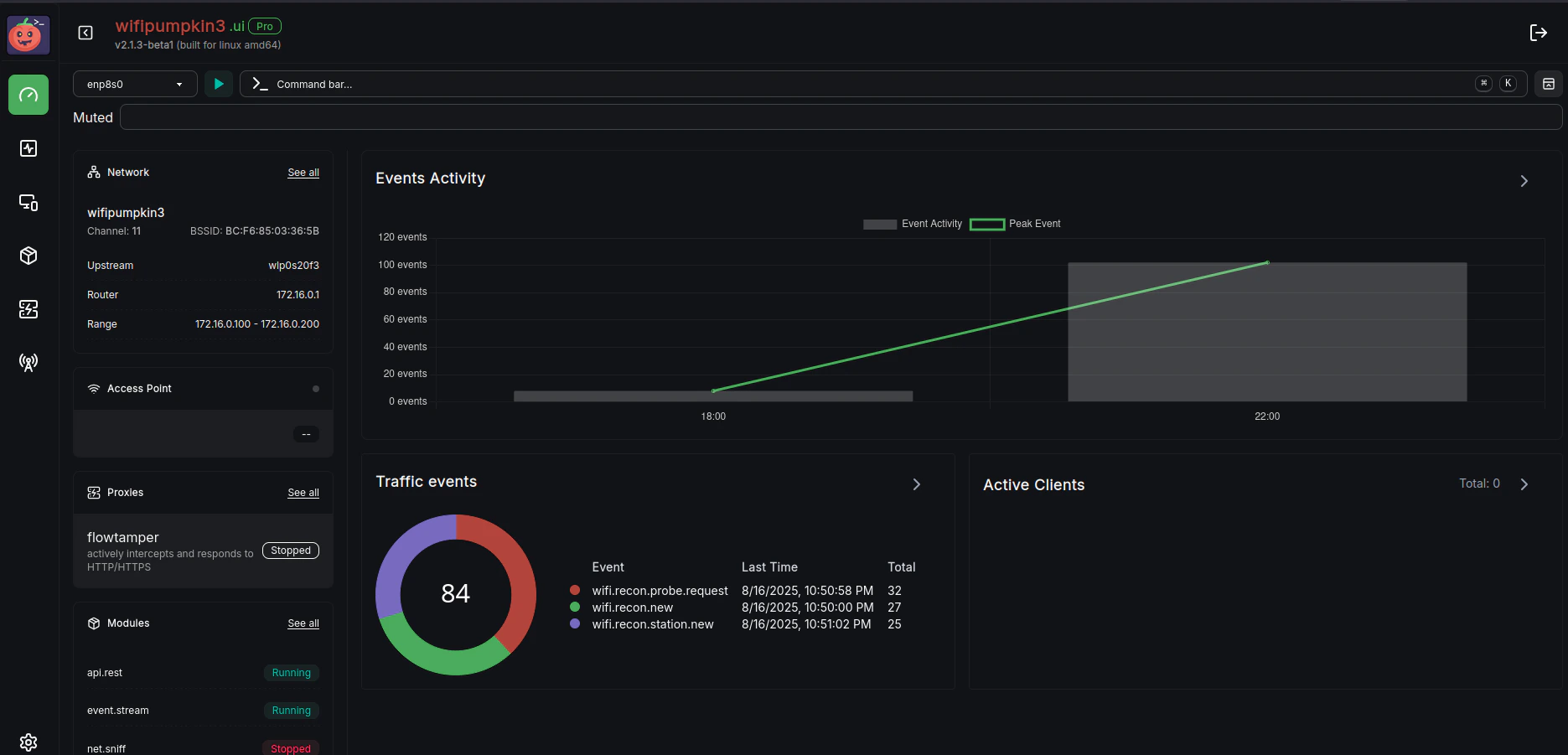
web.ui
web.ui Web UI Interface
web.ui module provides the graphical Web User Interface for WP3 Pro.It allows users to interact with the application through a browser, offering easy access to module controls, settings, and monitoring features.
Module Usage
Description:
- web.ui (running): The WP3 Pro Web UI interface.
Web UI Parameters
| Parameter | Description | Default |
|---|---|---|
web.ui.address | Address to bind the Web UI server to. | 127.0.0.1 |
web.ui.path | Folder containing the Web UI files. | ui |
web.ui.port | Port on which the Web UI server listens. | 80 |
Examples
Start the Web UI on the default address and port:Summary
The web.ui module provides:- A browser-based interface to control WP3 Pro.
- Easy access to modules, proxies, and monitoring tools.
- Configurable address and port for flexibility in network environments.
💡 Note: The default login credentials for the Web UI are user:user. Make sure to change these for production or sensitive environments.